Changelog

New features, improvements, and fixes from the ReplyAll team.

Feature

ReplyAll for chat.line.biz — now a Chrome extension

ReplyAll for chat.line.biz — now a Chrome extension

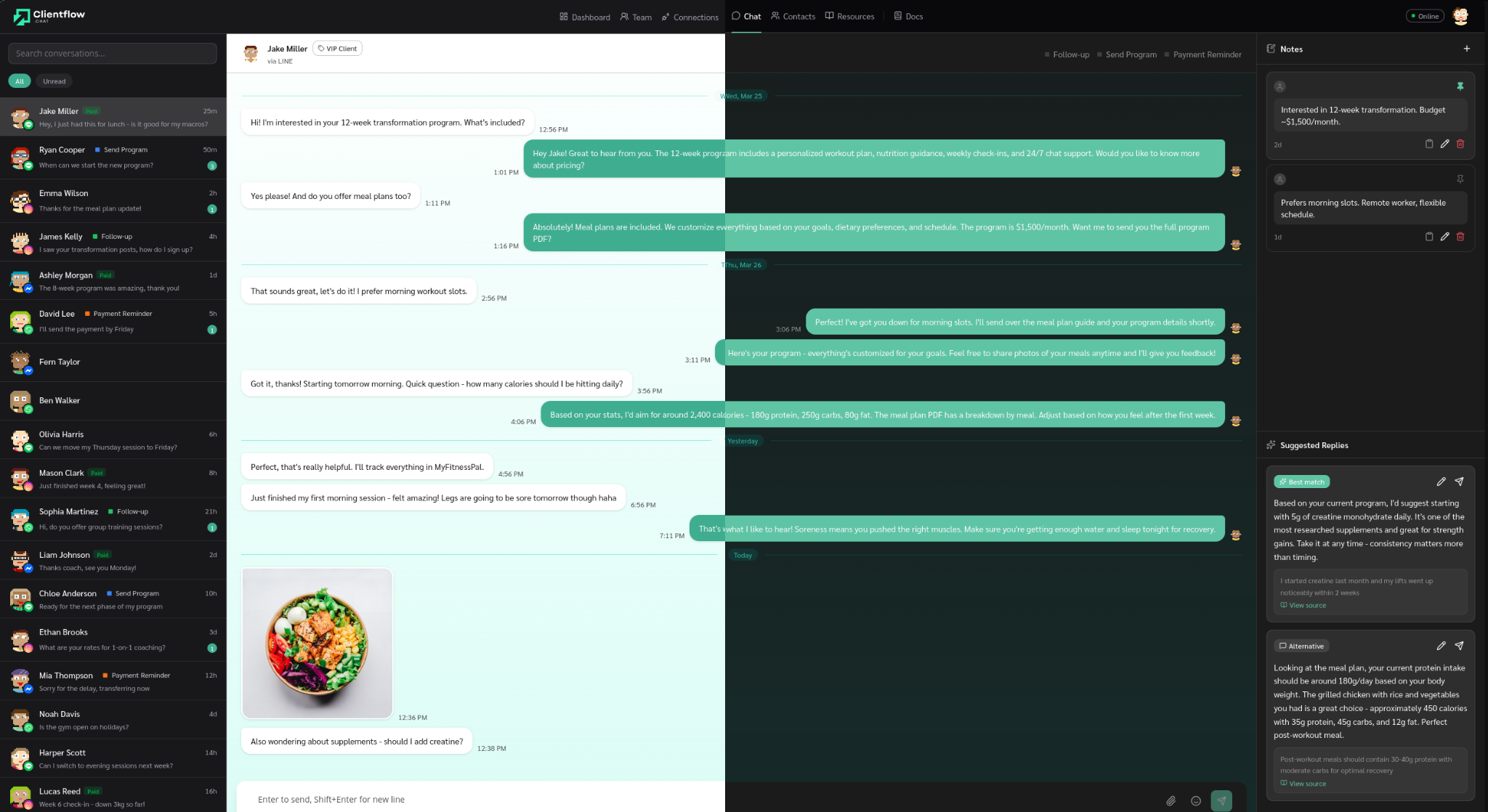
Bring ReplyAll into the LINE Official Account console you already use. The new Chrome extension docks a side panel into chat.line.biz and surfaces AI-suggested replies the moment a customer messages — grounded in your own resources, your past conversations, and your saved smart responses.

  • AI suggestions appear in real time as new messages arrive
  • Each suggestion shows the source it was drawn from
  • One click drops the reply into the chat editor for you to review and send
  • Works alongside the dashboard — same account, same resources, same smart responses
Feature

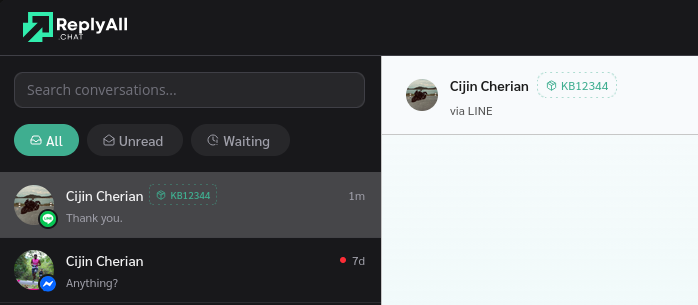
Tag contacts by product

Tag contacts by product

Label each contact with a product name. Click + Product next to the contact’s name in chat, type, save.

  • Free-text, one per contact
  • Edit or clear from the same chip
  • Appears in the chat header and the contact sidebar
Feature

Send videos, voice notes, and files in chat

Chat attachments now cover more than just images. Send videos, voice notes, and documents directly to your contacts and receive them in the inbox.

  • Videos are transcoded to a mobile-friendly profile and delivered with a matching preview thumbnail
  • Voice notes play inline with duration shown
  • PDFs, Office docs, and other files arrive as a tappable file card on the recipient’s side
  • Incoming video previews are fetched from the source so the inbox shows the same thumbnail your contact saw
Feature

A/B test your ad results, conversions, greeting messages and more

A/B test your ad results, conversions, greeting messages and more

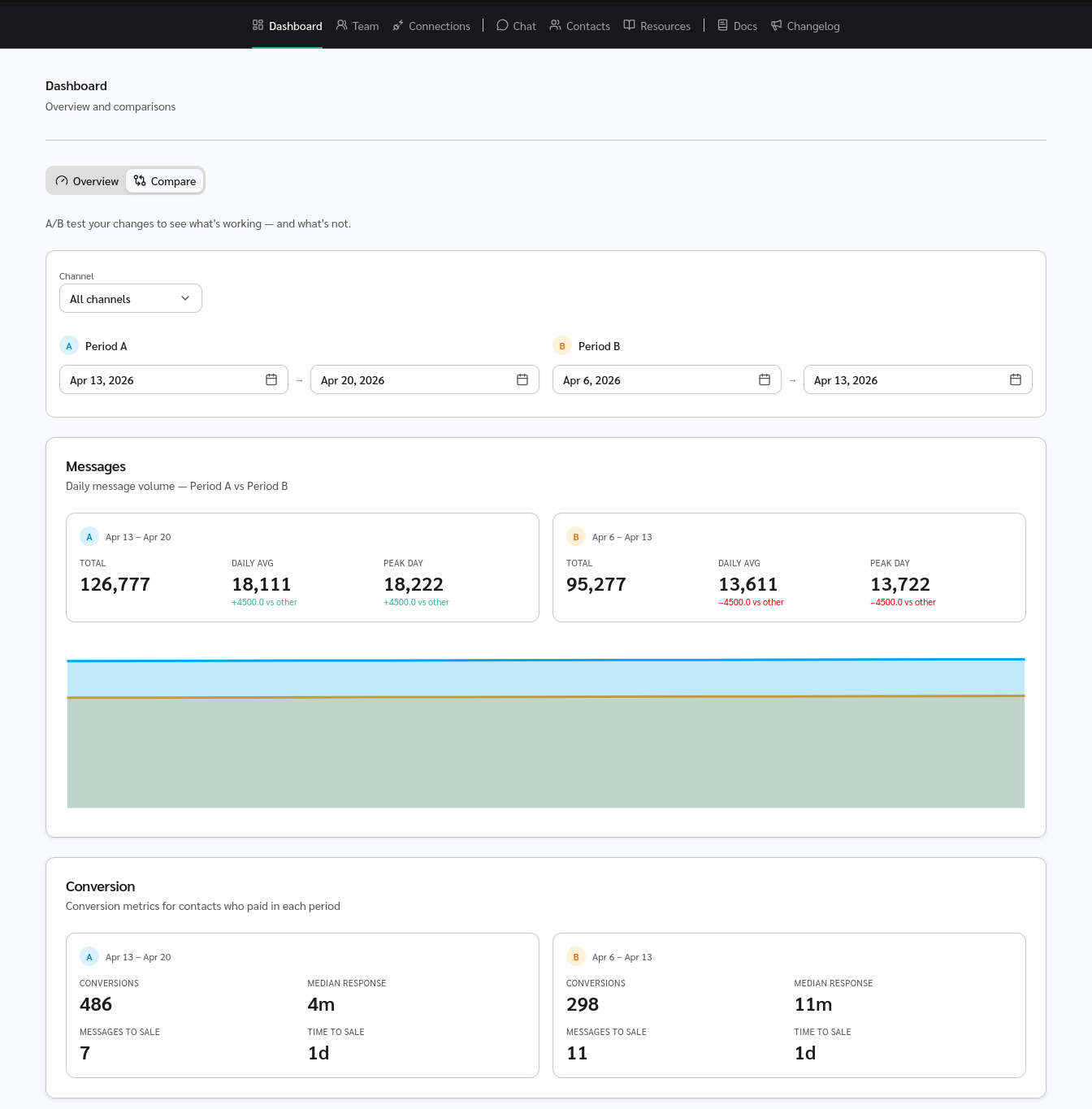
New Compare tab on the dashboard. A/B test a change — a new opening message, a new pricing page, a campaign — and see the impact at a glance.

  • Pick any two date ranges and filter by channel
  • Side-by-side cards for messages sent/received, conversion stats, and follow/reply/unfollow rates
  • Filled area chart overlays both periods day by day
  • Clear +/- deltas so you know if the change actually moved the needle
Feature

Template chips for Smart Responses

Template chips for Smart Responses

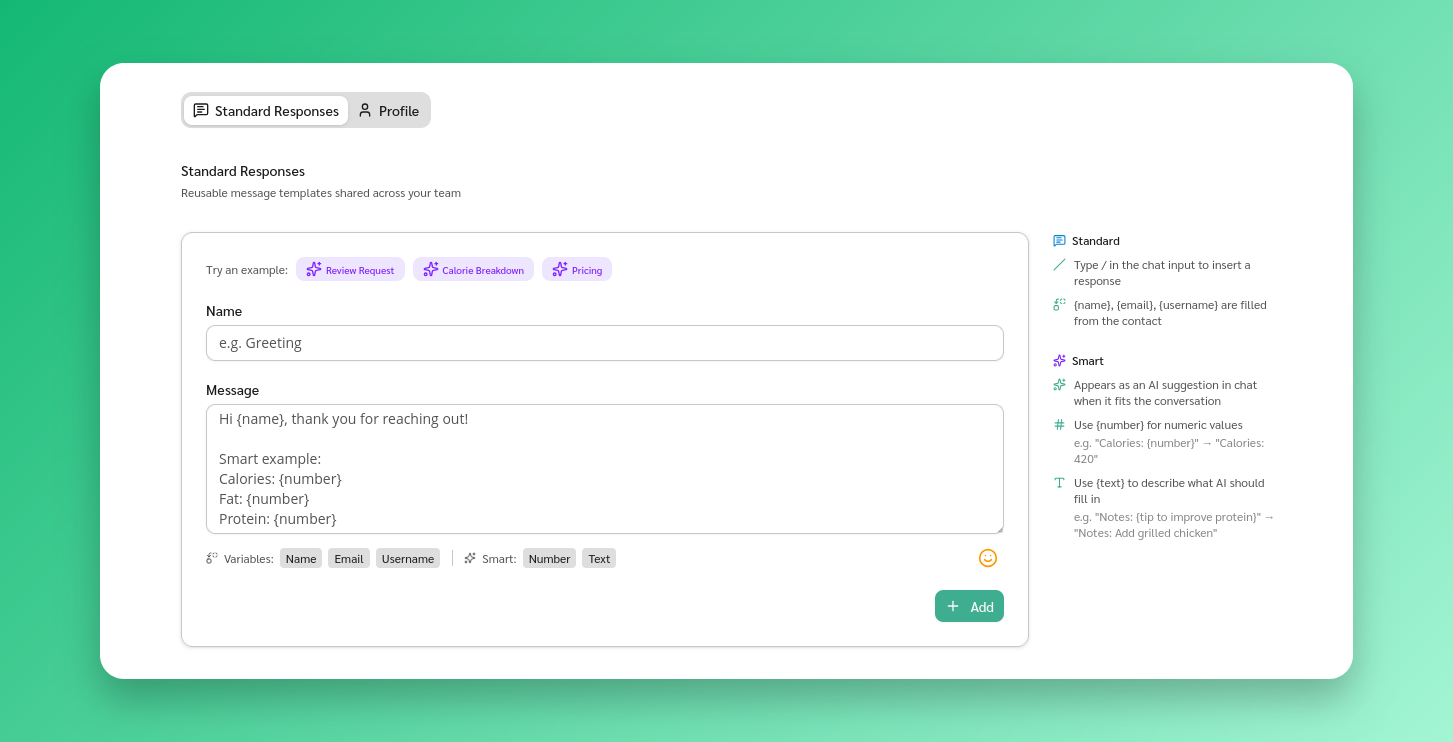
Jumpstart your Smart Responses with ready-made templates — Review Request, Pricing, Calorie Breakdown, and more.

  • One click prefills the form with a working template
  • Edit to your liking and save
  • Learn the smart syntax faster by example
Improvement

Sharper reply suggestions

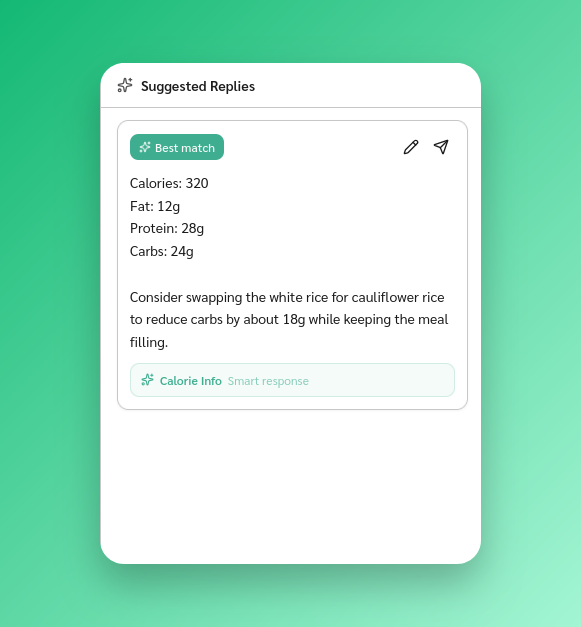
Reply suggestions got a major upgrade — shorter, more natural replies that lean on your templates and past conversations first.

  • Upgraded to Gemini 3 Flash for faster, more accurate responses
  • Better template handling — AI respects your wording and fills in only the {placeholders}
  • Clearer confidence labels (low / medium / high)
  • New “Generated” badge when the AI composes from scratch
Improvement

Smart suggestions from day one on migrated chats

When you import chat history from LINE, Instagram, or Messenger, we now build suggestion context from your past conversations immediately.

First AI replies on migrated contacts draw on what’s already been said, instead of warming up only after new messages arrive.

Feature

Instagram DM support

Instagram DM support

Instagram DMs now flow into your inbox alongside every other channel — with reply suggestions, attachment analysis, and emoji reactions included.

Feature

Messenger support

Messenger support

Messenger is now a first-class channel in your inbox — reply suggestions, attachment analysis, and emoji reactions all work out of the box.

Feature

Smart responses — AI uses your templates

Smart responses — AI uses your templates

Mark a standard response as “Smart” and the AI will use it when generating reply suggestions instead of composing from scratch.

  • Toggle the Smart flag on any standard response
  • AI prefers your exact wording when the template fits the conversation
Feature

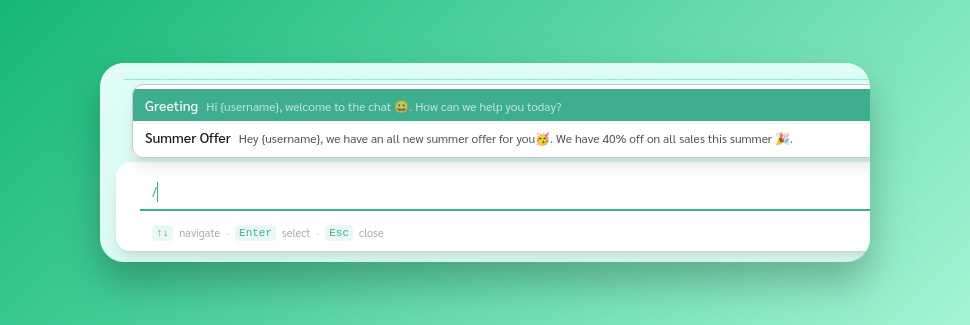
Standard responses for faster replies

Standard responses for faster replies

Save common replies and insert them with / in the chat input.

  • Create responses in Settings with a name and content
  • Type / to browse and search saved responses
  • Placeholders like {name} and {email} auto-fill with contact details
Feature

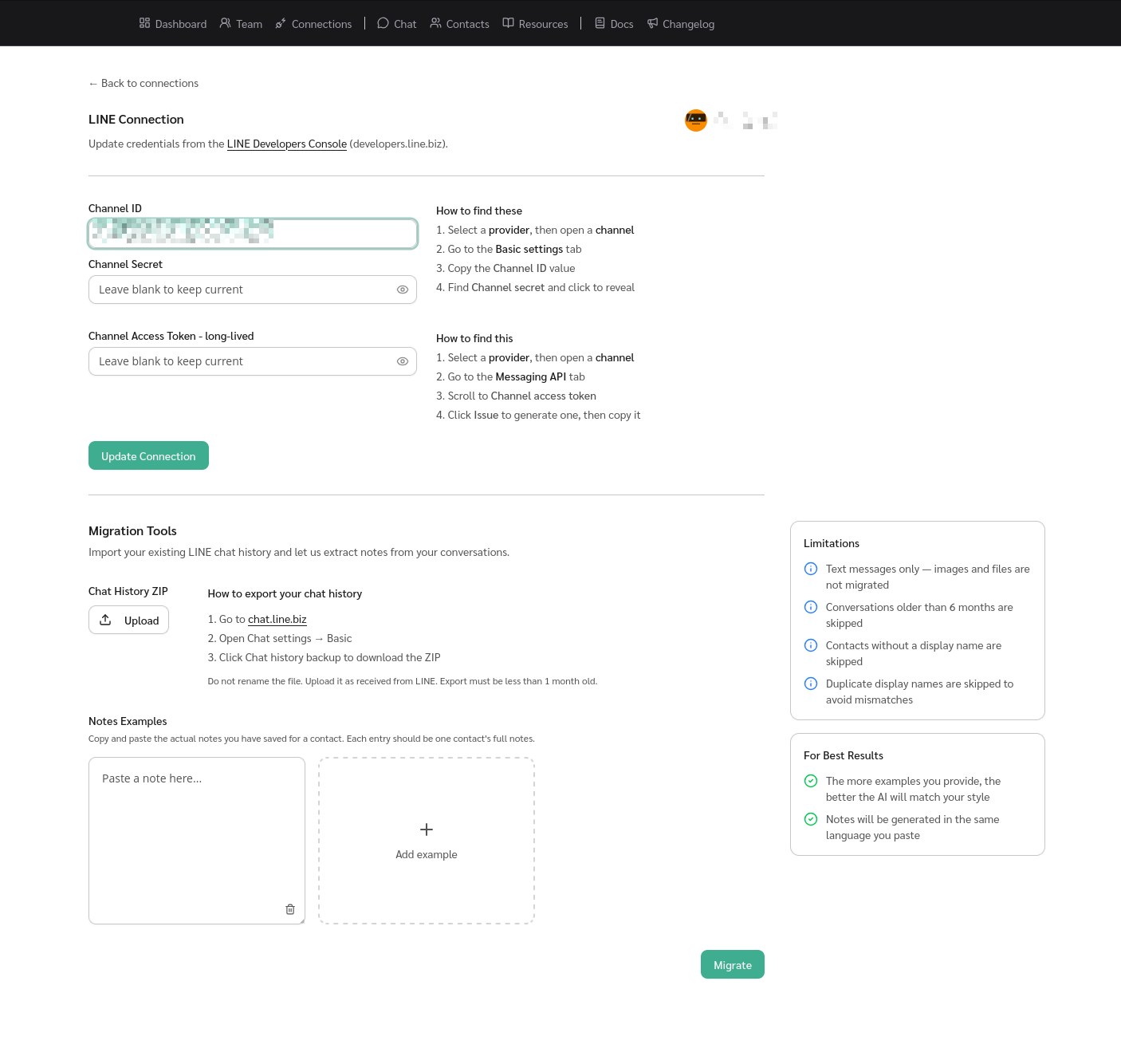
LINE chat history migration with AI-generated notes

LINE chat history migration with AI-generated notes

Upload your LINE chat history ZIP to import conversations. Past history appears when a contact messages you.

  • Upload the ZIP export directly from LINE
  • Provide note examples and AI generates per-contact notes matching your style
  • Notes match the language of your examples
  • AI-generated notes are marked as inferred
Feature

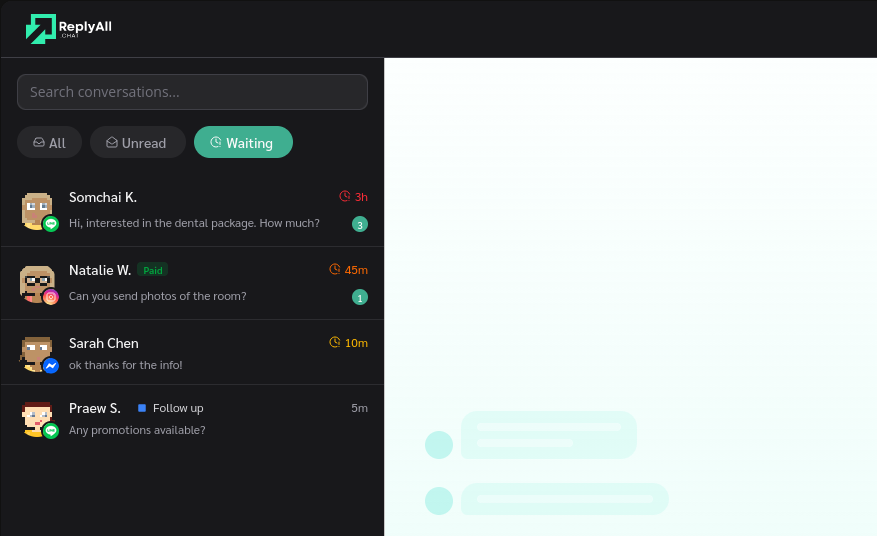
Urgency signals for unanswered messages

Urgency signals for unanswered messages

Unanswered conversations now show urgency signals that escalate over time.

  • Urgency markers increase the longer a contact waits
  • Waiting contacts rise to the top of the chat list
  • Visual cue shows who needs a reply
Feature

Conversion insights

Conversion insights

New dashboard card showing metrics from conversations that led to a sale.

  • Median response time, messages to sale, and time to sale
  • Benchmark your team and spot where deals stall
  • Coming soon: this data will feed AI reply suggestions
Performance

Faster chat page loads

Faster chat page loads

The chat page loads faster — especially for workspaces with many conversations.

  • Batched AI suggestion context queries into fewer database calls
  • Inlined the chat sidebar on first render to skip an extra round-trip
  • Long-lived caching with automatic cache-busting for CSS and static assets
Feature

Desktop notifications for new messages

Desktop notifications for new messages

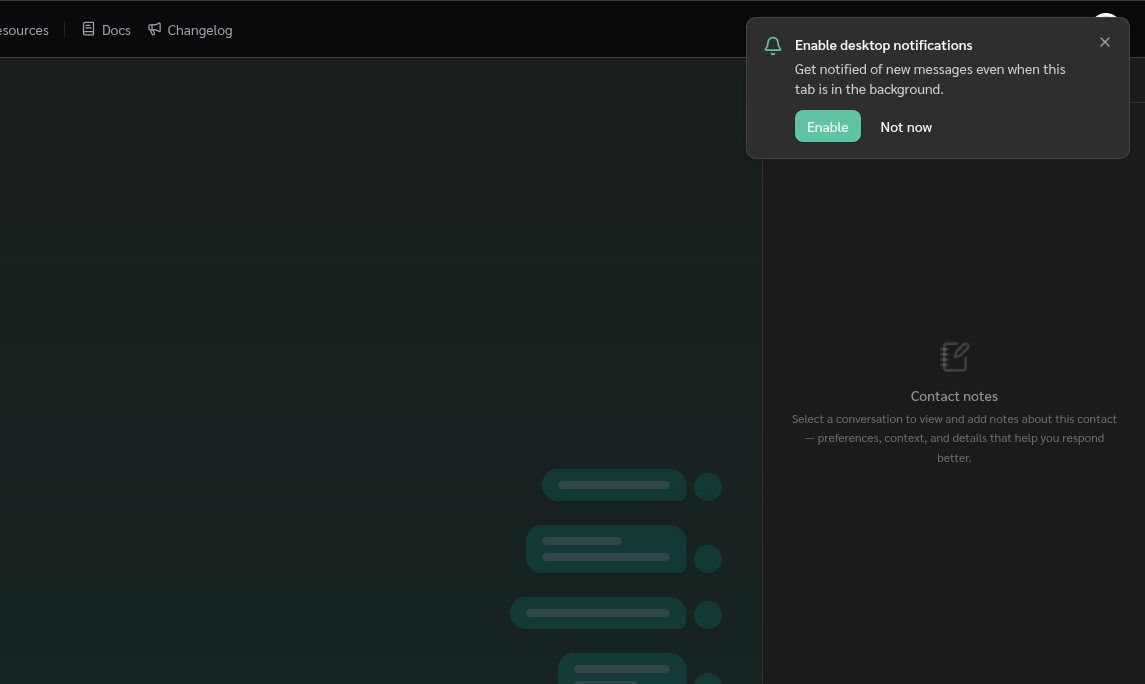
Browser notifications and a sound chime when new messages arrive, even when the tab is in the background.

  • Native desktop notifications with sound
  • Unread dot on the favicon
  • One-click opt-in from the user menu
Fix

Smarter context for suggested replies

Suggestions now batch consecutive incoming messages instead of only reading the last one.

  • Consecutive messages grouped into a single context window
  • Multi-part questions and follow-ups are no longer missed
  • Better suggestions when contacts send multiple messages
Fix

Fixes for contact assignment

Fixed bugs with contact assignment:

  • Auto-assign no longer skips contacts under certain team configurations
  • Contacts no longer get stuck as “unassigned” after team changes
  • Removing a team member now cleanly unassigns their open contacts
Feature

Busiest hour heatmap

Busiest hour heatmap

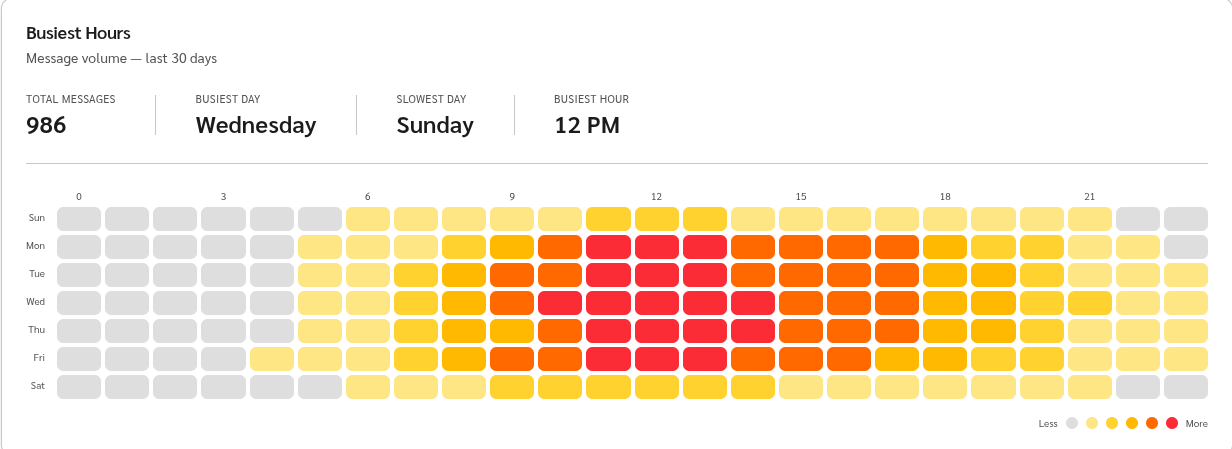
The dashboard now shows a heatmap of when customers message you most.

  • Hourly message volume over the last 30 days
  • Highlights your busiest windows
  • Timezone-aware — matches your team’s working hours
Feature

Automated review requests

Automated review requests

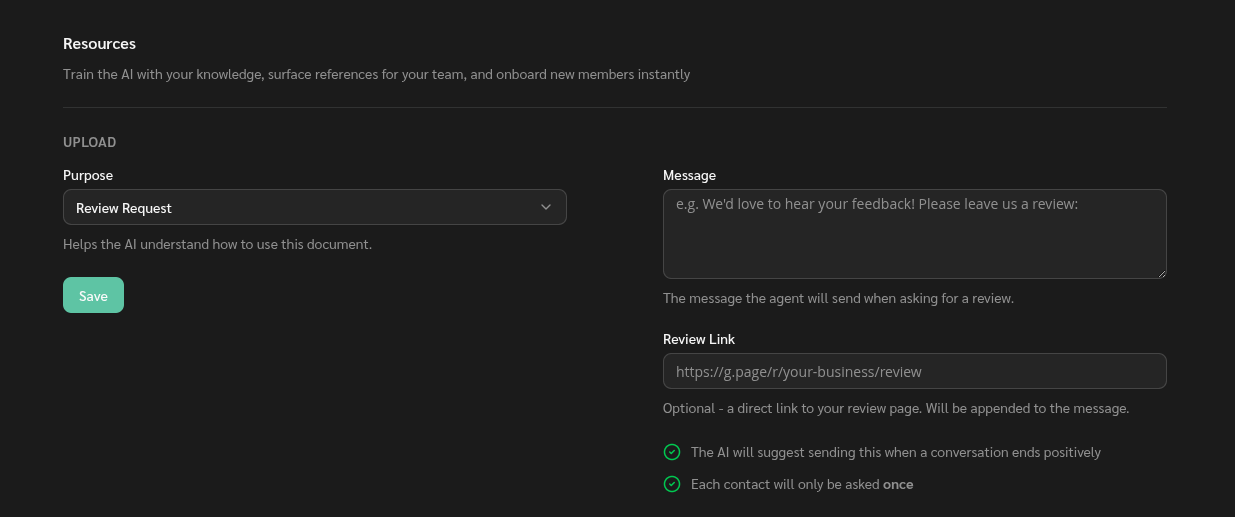
Set up review request templates. The AI suggests them when a conversation ends positively — you approve before anything is sent.

  • Custom templates per workspace
  • AI detects positive conversations
  • Configurable response threshold for when suggestions trigger
Feature

Smart contact assignment

New conversations are automatically assigned to teammates based on team structure and workload.

  • Auto-assigns new contacts to available teammates
  • Balances workload across the team
  • Respects team membership
Preview