How to Set Up Auto-Responses on LINE (and Why You Shouldn't Stop There)
How to Set Up Auto-Responses on LINE (and Why You Shouldn’t Stop There)
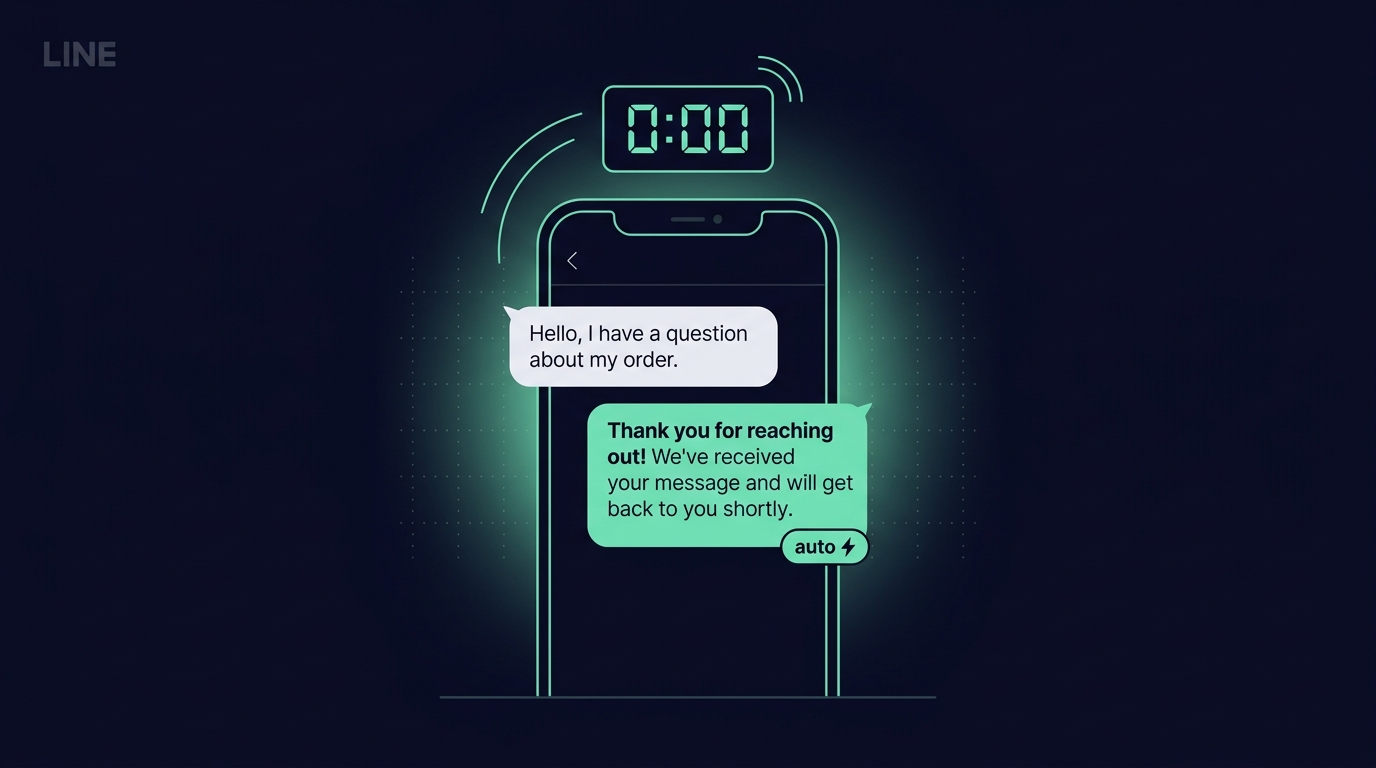
If your LINE Official Account gets more than a handful of DMs a day, a plain auto-response is the single cheapest thing you can do to protect revenue. It takes five minutes to turn on, and it immediately fixes the worst-case scenario — a warm lead messaging you outside business hours and hearing nothing back.
It also has a ceiling. Here’s how to set it up, what to expect, and where it breaks down.
The number that matters
A warm DM that gets no reply in the first 30 minutes has roughly a 50% chance of never coming back. Silence past 24 hours and that number climbs past 70%. An auto-response doesn’t answer the question — it just tells the customer they were heard. That alone is enough to keep most of them in the conversation until a human arrives.
In our own data across LINE-first DTC brands:
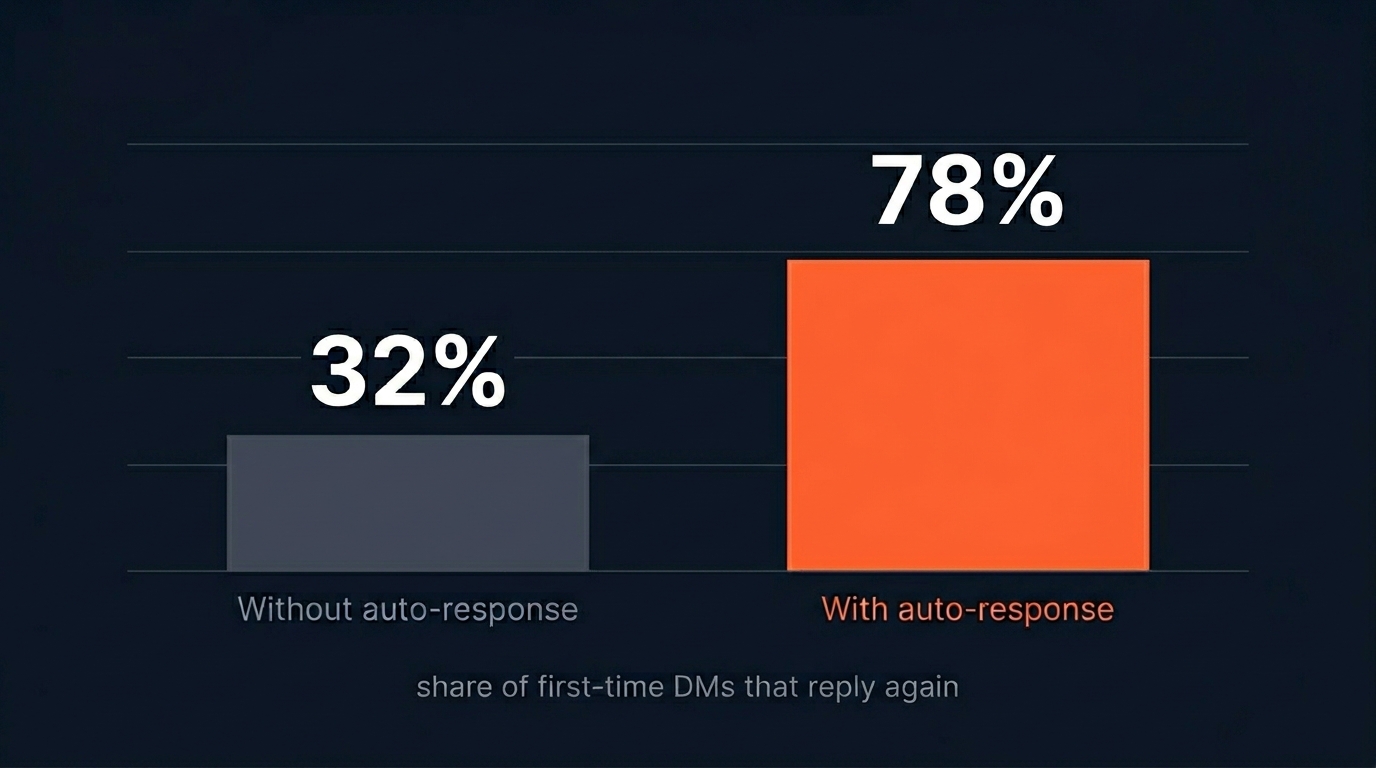
- Without auto-response: only ~32% of first-time DMs outside business hours ever reply again.
- With a single-line auto-response: that jumps to ~78%.
Same team, same hours, same product. The only change is the first message.
Setting it up in LINE Official Account Manager
The whole thing lives inside the free LINE OA Manager. You don’t need the Messaging API for this part.
1. Open Auto-response messages
From your OA dashboard, go to Chat settings → Auto-response messages. If you see a list of existing ones (even the default “Thank you for adding us as a friend”), you’re in the right place.

2. Write the message that gets sent
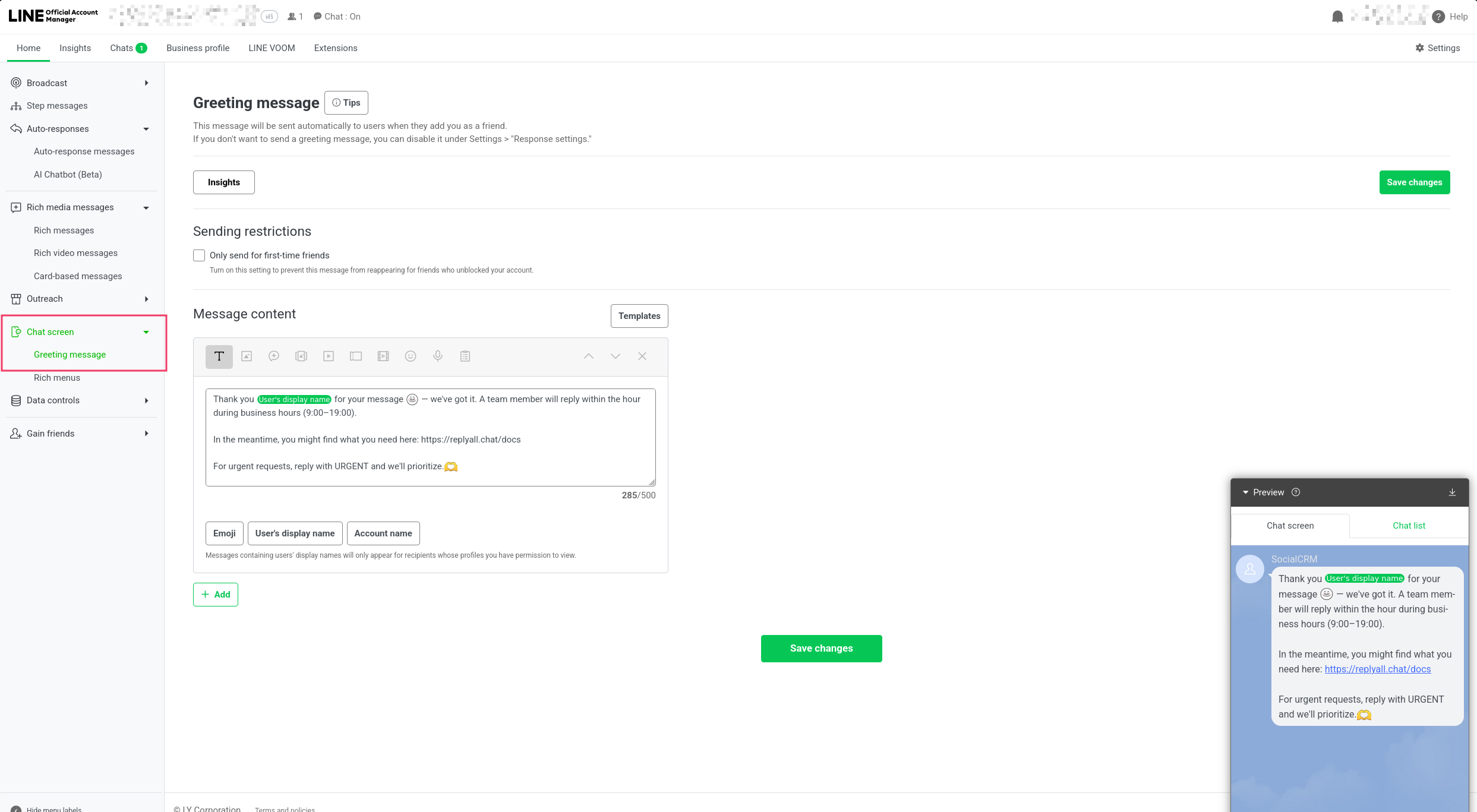
Click Create new. Keep the message short, specific, and useful. Bad auto-response: “We’ll get back to you as soon as possible.” Good auto-response: something that tells them when and gives them something to do while they wait.
A tested template:
Thanks for your message — a human will be back within the hour during business hours (9am–7pm). In the meantime, here are our bestsellers: [link]. If it’s urgent, reply URGENT and we’ll prioritise.
Three things make this work: (1) it names a specific SLA, (2) it gives them a next step, and (3) the “URGENT” keyword gives you a way to triage what actually matters.
LINE will send this greeting automatically the first time someone adds your OA as a friend — no schedule to configure.
3. Test it yourself
Add your OA as a friend from a personal account, send a message outside business hours, and make sure the auto-response arrives instantly. If it doesn’t, double-check the schedule and that the response is set to Active.
Where this stops being enough
Auto-responses are great at one thing: covering the gap between “message received” and “human replies.” They do nothing to shorten that gap, and they don’t help at all during business hours.
Within a week of turning them on, most teams notice the same ceiling:
- Customers accept the auto-response once, but expect the real reply faster every time.
- Common questions (pricing, shipping, stock) still wait for a human.
- There’s no way to tell which auto-response version actually works best.
This is where the real leverage is. Instead of one static greeting, the next step is AI-suggested replies that fire during business hours — drafted from your past winning conversations, reviewed and sent by a human in one click. Combined with an unanswered-queue SLA you can actually hit, the median reply time drops from “within an hour” to under five minutes.
Measuring what works — the part most teams skip
The biggest win from moving past a plain auto-response is that you can finally measure it. Which greeting converts better? Does a mention of price in the first reply help or hurt? Does adding an image raise or lower response rate?
You can’t A/B test a LINE auto-response. You can A/B test an AI-suggested reply.
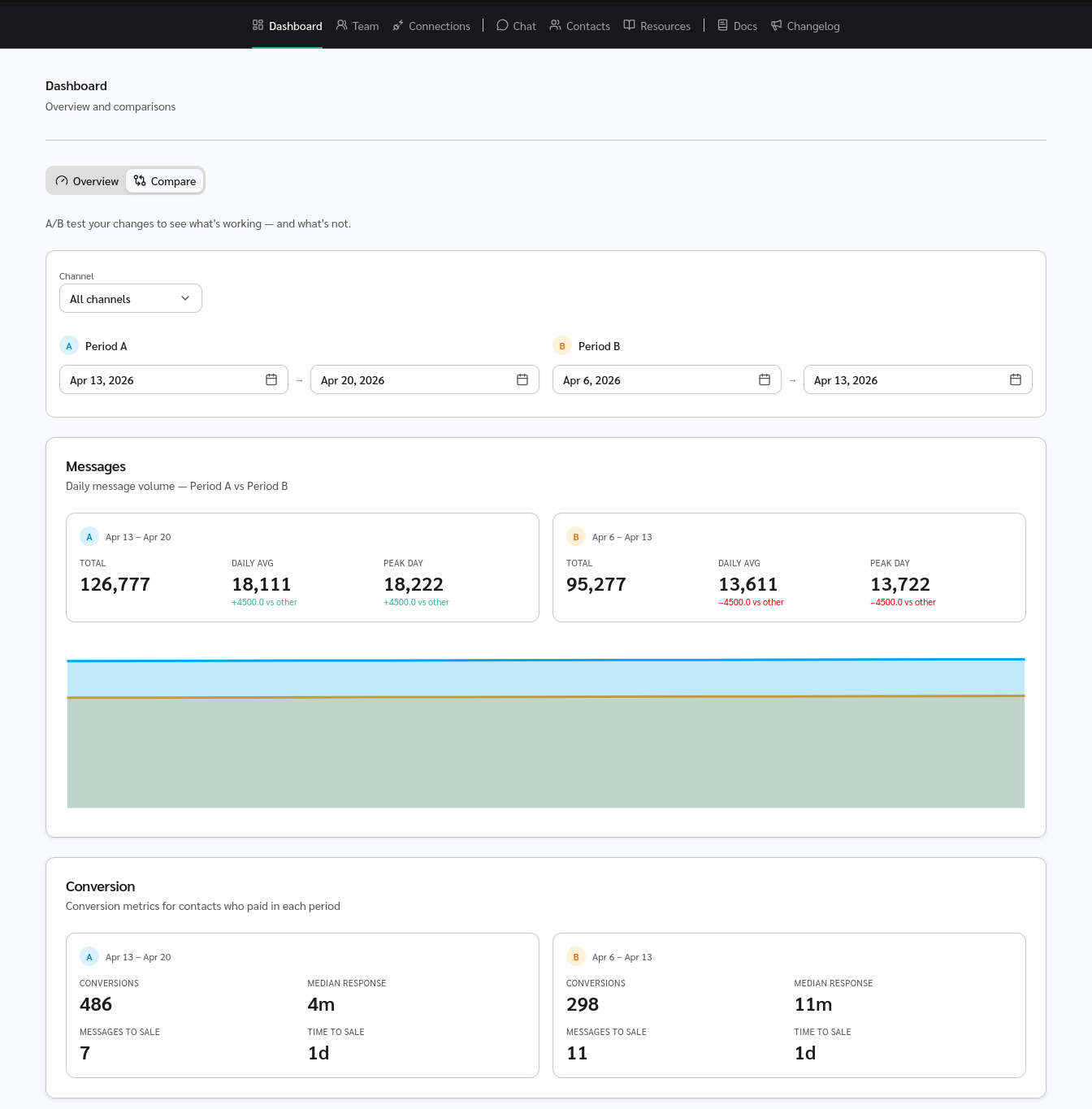
The teams who eventually hit 2–3× their baseline conversion rate aren’t the ones with the best auto-response. They’re the ones who keep testing what comes next.
Want to go beyond auto-responses? Start a 14-day trial or book a call.