Review Reminders - Documentation

Review Reminders

Never miss an opportunity to request reviews.

Add review messages

  1. Go to Resources
  2. Select Review Requests from the dropdown
  3. Add your message and the link to the page where users can write you a review.
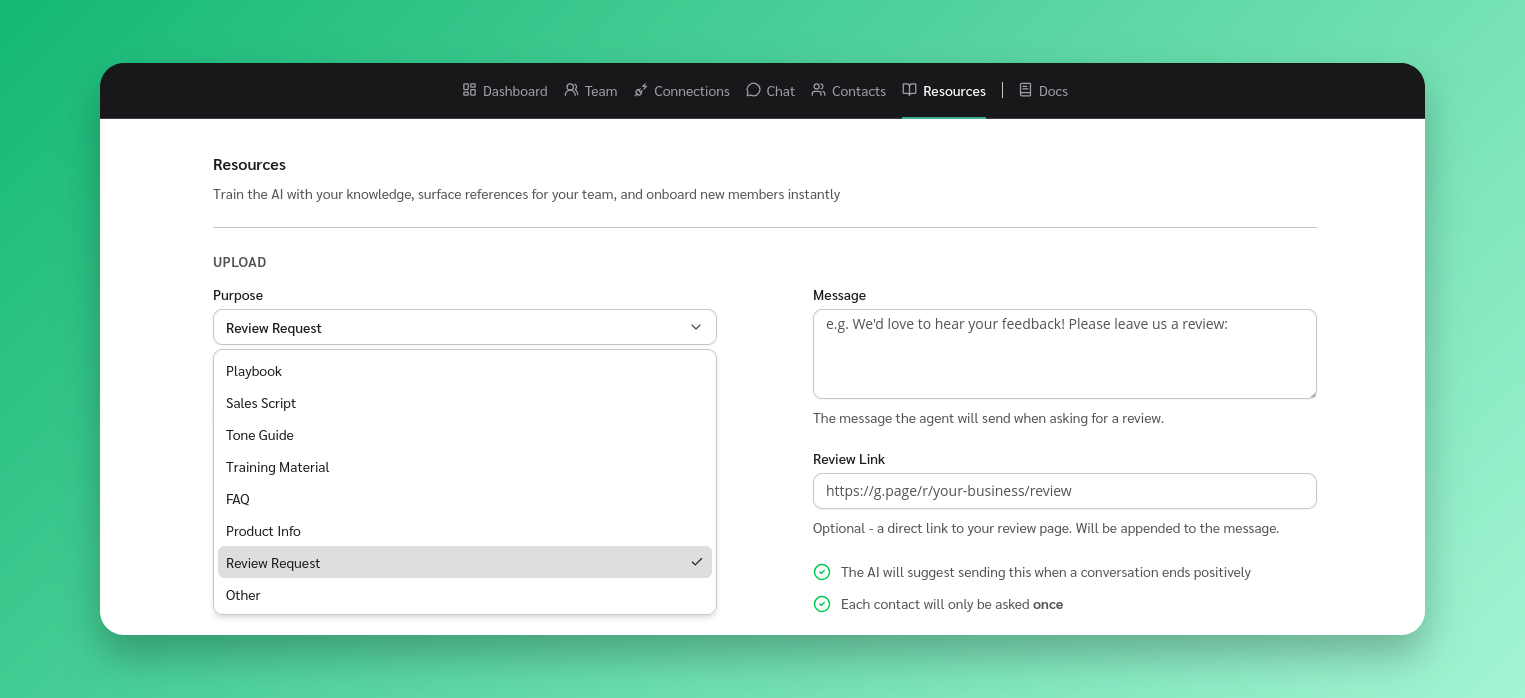
Add Review Request

When are review requests suggested?

  1. When the conversation has ended positively and the users questions have been answered or if their problems were solved. The app will add the send the review request message as a suggestion.
  2. Review request suggestions are only sent once per contact.

Stay Updated

Get the latest updates on new features and components.

No spam, ever. Unsubscribe anytime.

The statistics and results shown on this site are illustrative and not a guarantee of your results. Your outcomes will vary depending on your audience, team size, effort, and how you use the software. We do not guarantee that you will increase revenue, reduce costs, or achieve any specific business outcome. Individual experiences mentioned are for informational purposes only.

© 2026 ReplyAll. All rights reserved.
Preview