Create a LINE Official Account - Documentation

Create a LINE Official Account

Set up a LINE Official Account before connecting it to the app

Sign up for a LINE Business ID

Go to LINE Official Account Manager and sign up with your LINE account or email.
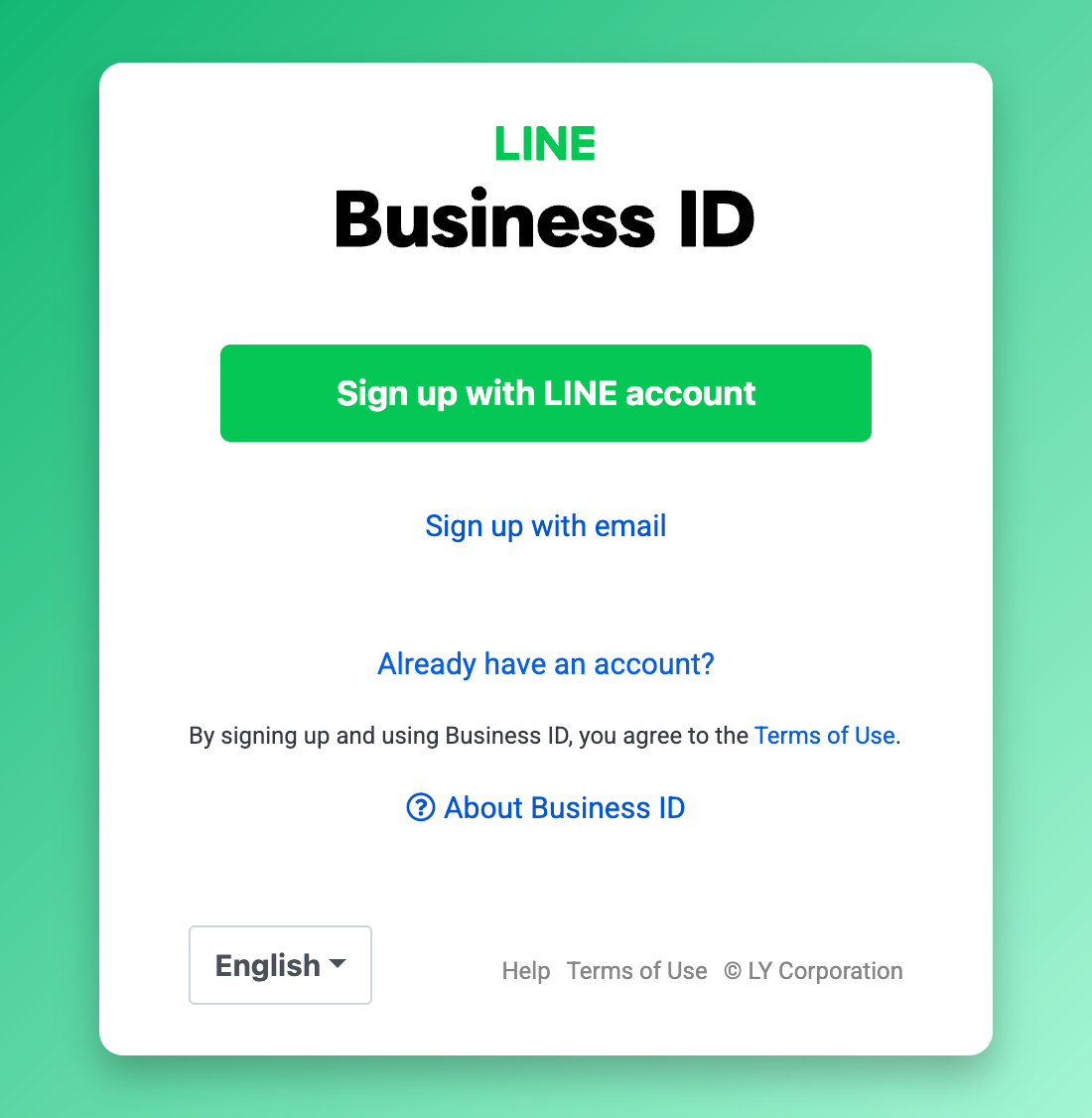
LINE Business ID sign up

Fill in your account details

Click Create new, then enter your account name, email, country, company name, and industry.
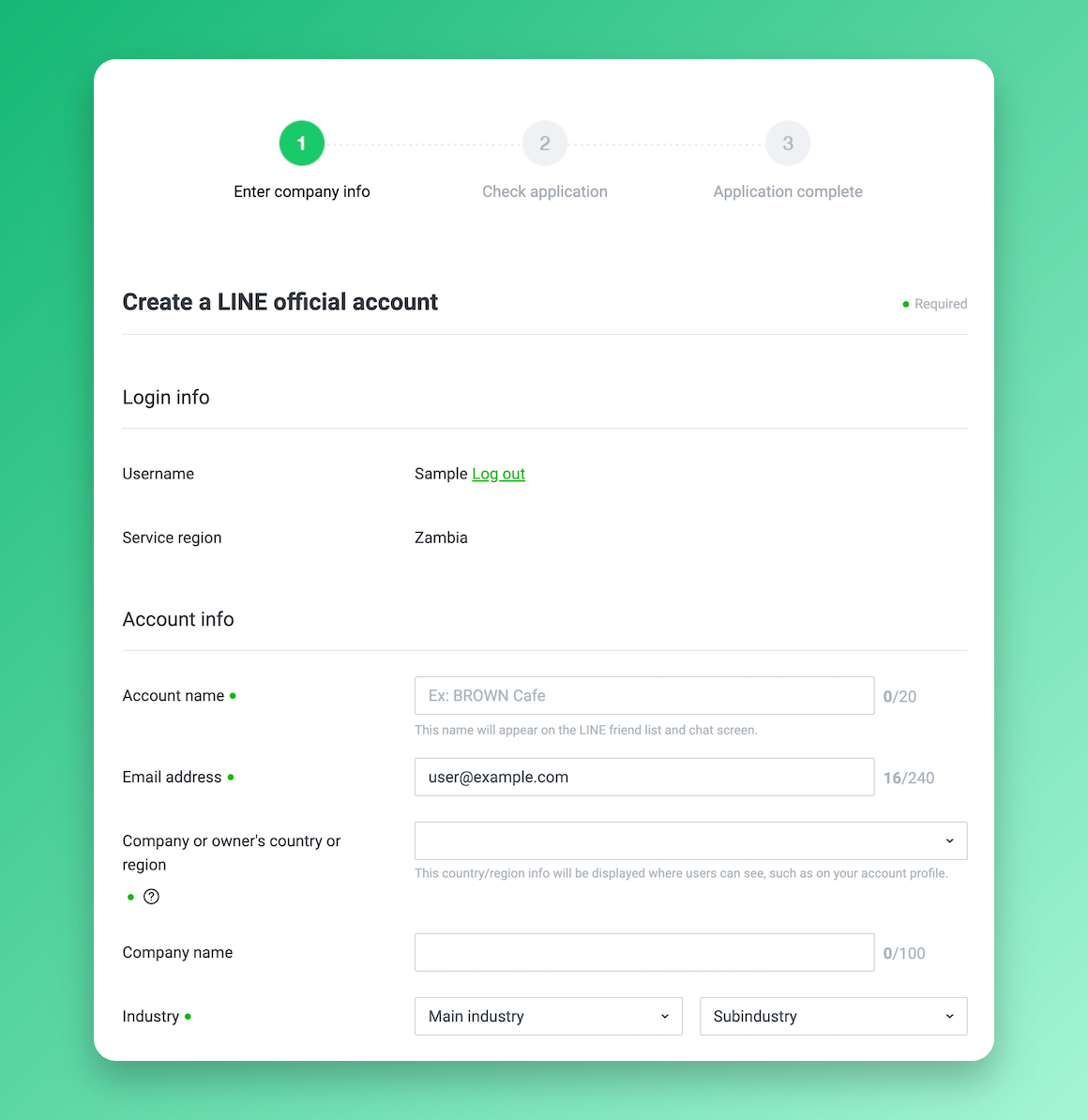
Create a LINE Official Account form

Your account is ready

Once created, the account appears in your accounts list. You can now proceed to connect it to the app.
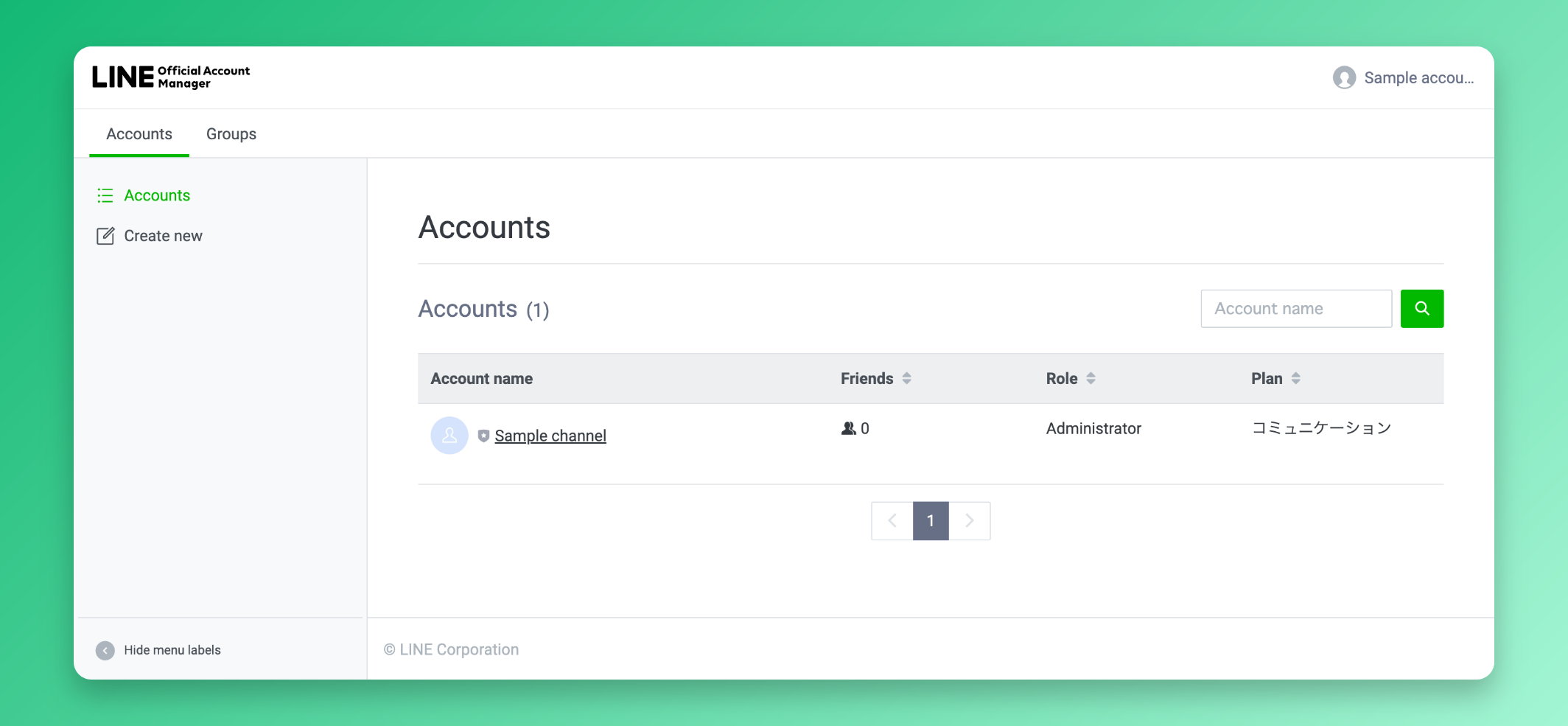
LINE Official Account list

Stay Updated

Get the latest updates on new features and components.

No spam, ever. Unsubscribe anytime.

The statistics and results shown on this site are illustrative and not a guarantee of your results. Your outcomes will vary depending on your audience, team size, effort, and how you use the software. We do not guarantee that you will increase revenue, reduce costs, or achieve any specific business outcome. Individual experiences mentioned are for informational purposes only.

© 2026 ReplyAll. All rights reserved.
Preview