Delete a Member - Documentation

Delete a Member

Remove a team member from your account

Remove a team member

  1. Go to Team
  2. Find the member in the Members table
  3. Click the trash icon on the right side of their row
  4. Confirm the removal in the dialog

This action cannot be undone.
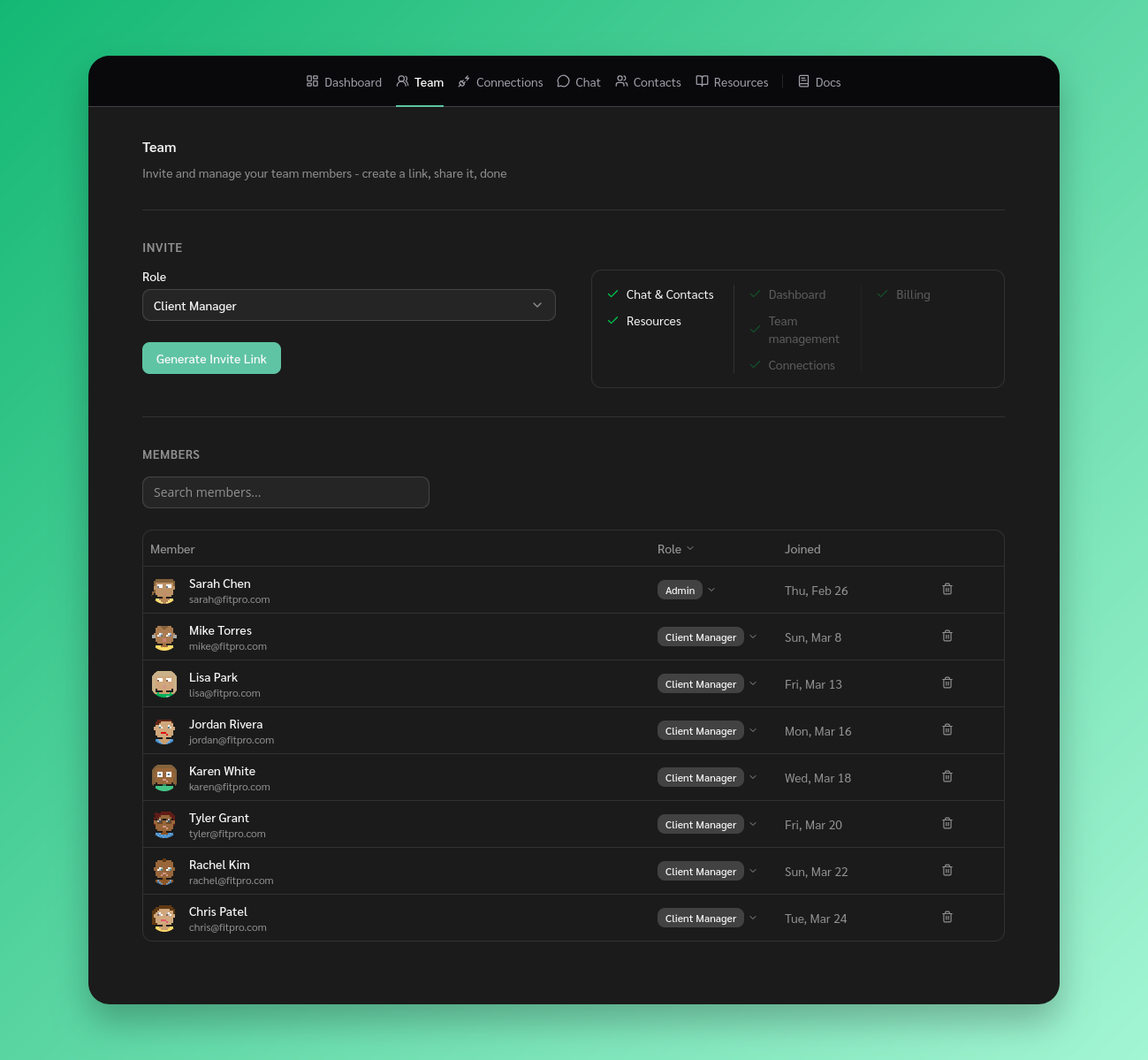
Delete a team member

Who can remove members

  • Super Admins can remove anyone
  • Admins can remove Admins and Client Managers, but cannot remove a Super Admin
  • You cannot remove yourself

Stay Updated

Get the latest updates on new features and components.

No spam, ever. Unsubscribe anytime.

The statistics and results shown on this site are illustrative and not a guarantee of your results. Your outcomes will vary depending on your audience, team size, effort, and how you use the software. We do not guarantee that you will increase revenue, reduce costs, or achieve any specific business outcome. Individual experiences mentioned are for informational purposes only.

© 2026 ReplyAll. All rights reserved.
Preview