Smart Responses
Let AI use your standard responses when suggesting replies
What are smart responses?
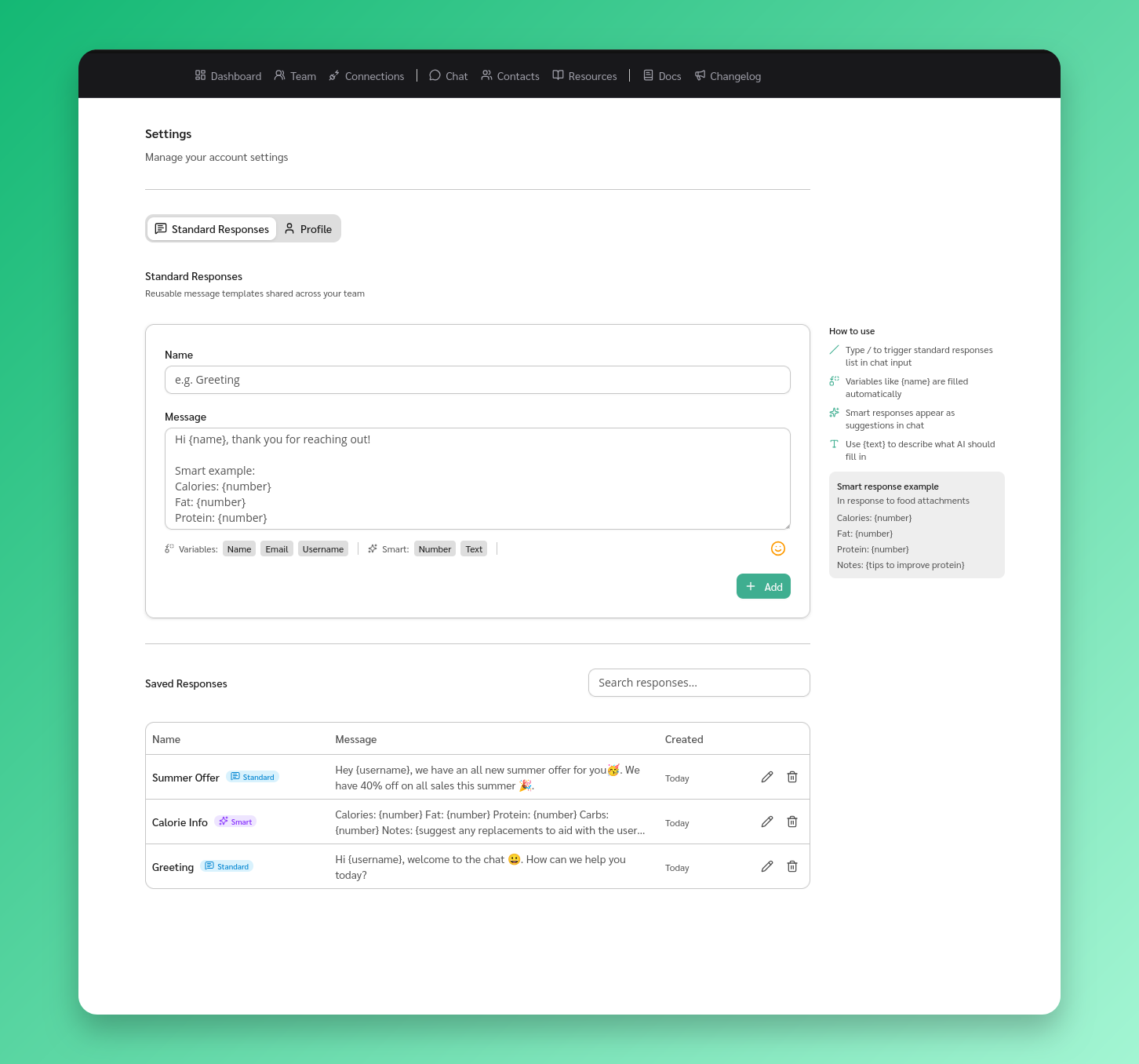
Standard responses with the Smart flag enabled. The AI considers these when generating reply suggestions. If a conversation matches one of your templates, it uses your exact wording.
Enable Smart on a response
- Go to Settings from the sidebar
- Find the response in the Standard Responses section
- Toggle the Smart switch on
How it works
When a message arrives, the AI checks your Smart responses against the conversation context. If one fits, it appears as a suggested reply with a reference to the source.
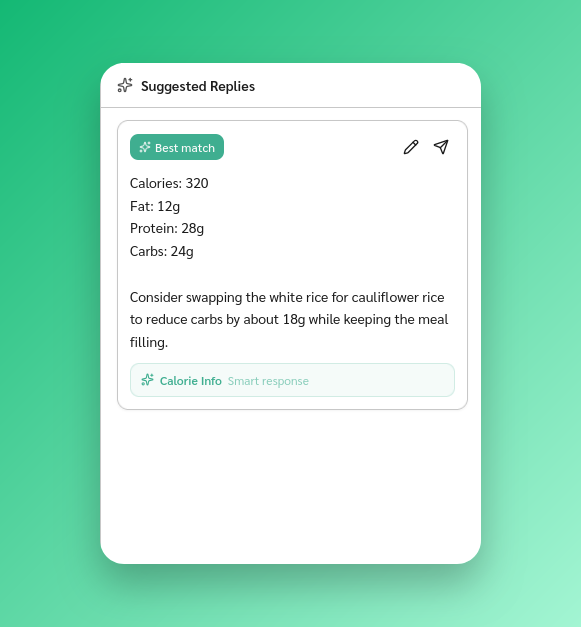
- Placeholders like {name} still adapt to the current contact
- If no Smart response matches, the AI suggests replies from your resources and past conversations
Tips
- Good candidates: pricing replies, refund policies, appointment confirmations, FAQ answers
- Keep content clear and complete — the AI uses it as-is