Use Suggested Replies
Let the AI suggest replies based on your resources and past conversations
How suggested replies work
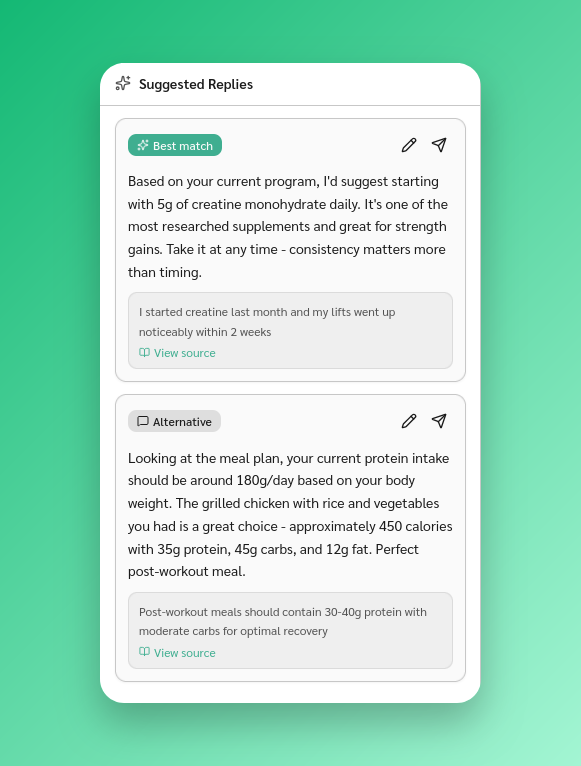
When you open a conversation, the Suggested Replies panel on the right shows AI-generated responses. Each suggestion includes:
- The reply text
- A Best match or Alternative label
- An edit button and a send button
- References the AI used to generate the reply
Suggestions update automatically when new messages arrive.
Edit before sending
Click the pencil icon on a suggestion to load the text into your message input. Edit it as needed, then send.