Add Resources - Documentation

Add Resources

Upload documents for the AI to reference when suggesting replies

Upload a resource

  1. Go to Resources
  2. In the Upload section, select a file from your computer
  3. The document is processed and added to your resource library
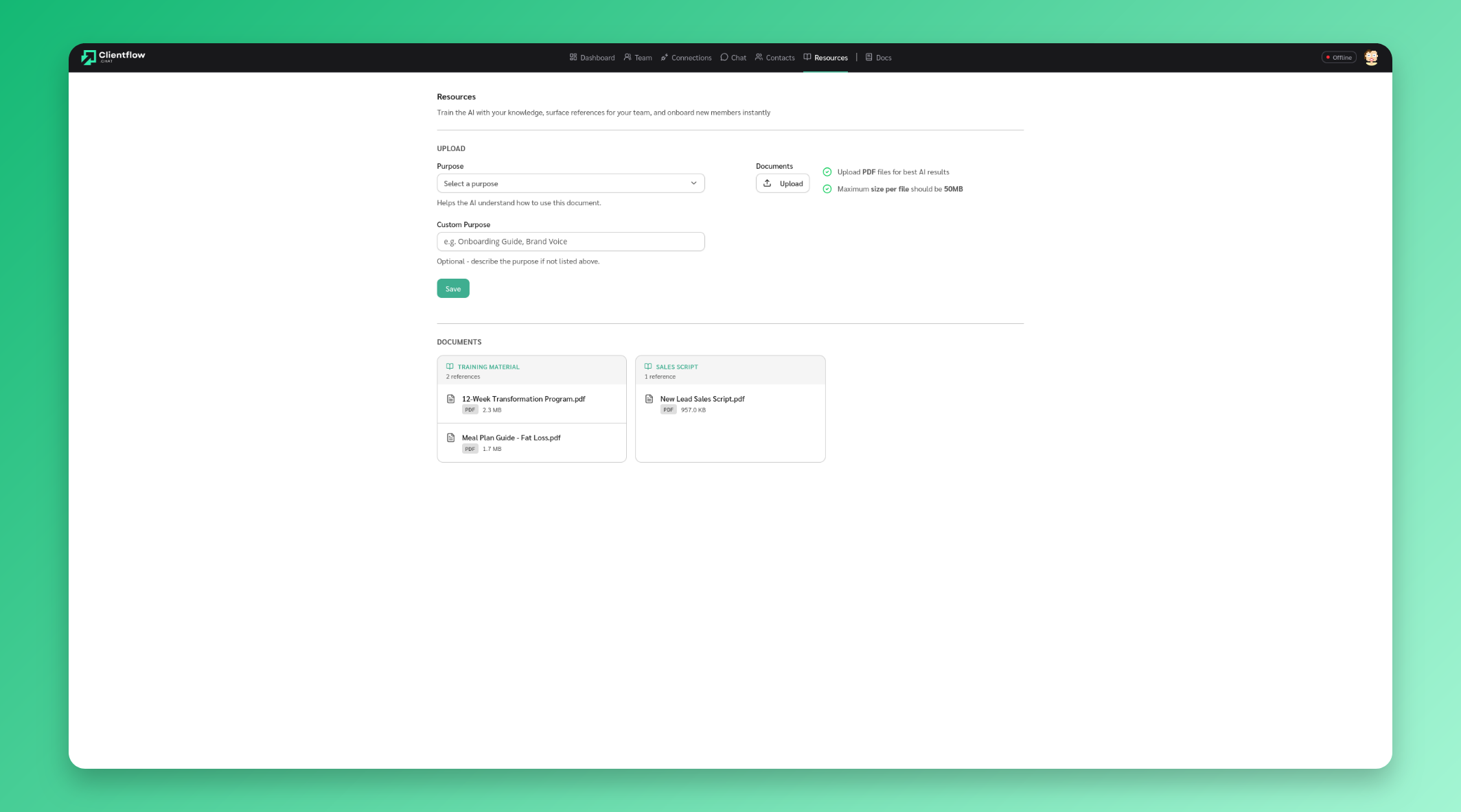
Add resources

How resources are used

The AI references your uploaded documents when generating suggested replies. This means replies stay consistent with your product information, pricing, policies, and brand voice.

Uploaded documents appear in the Documents section where you can view and manage them.

Stay Updated

Get the latest updates on new features and components.

No spam, ever. Unsubscribe anytime.

The statistics and results shown on this site are illustrative and not a guarantee of your results. Your outcomes will vary depending on your audience, team size, effort, and how you use the software. We do not guarantee that you will increase revenue, reduce costs, or achieve any specific business outcome. Individual experiences mentioned are for informational purposes only.

© 2026 ReplyAll. All rights reserved.
Preview