Standard Responses
Save and reuse common replies with the / shortcut
What are standard responses?
Pre-written replies you insert into any conversation with /. Useful for greetings, pricing info, directions, or follow-ups.
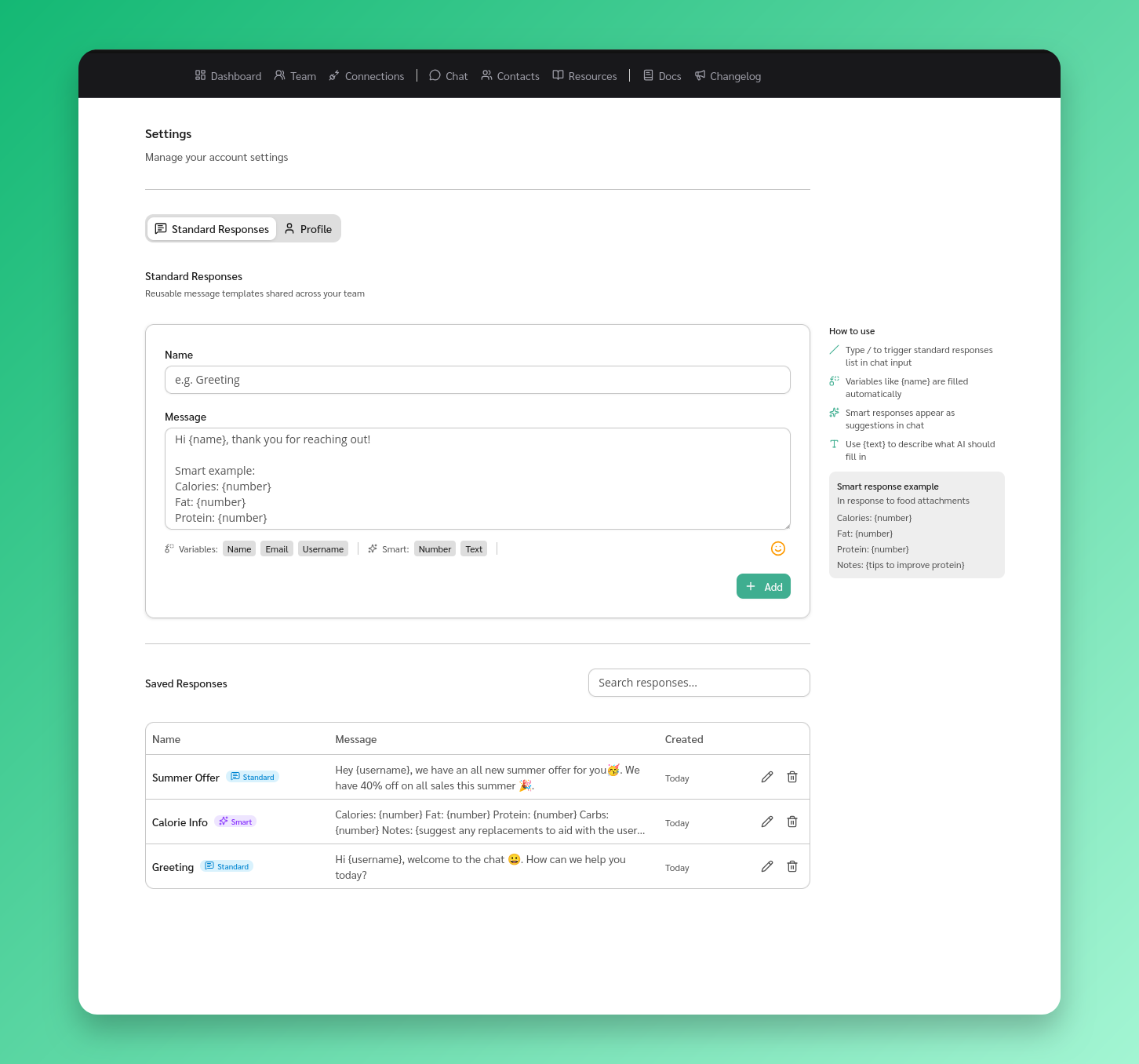
Create a standard response
- Go to Settings from the sidebar
- Scroll to the Standard Responses section
- Click Add Response
- Enter a name — this is what you search by when using
/ - Enter the content — the actual message text
- Click Save
Use a standard response in chat
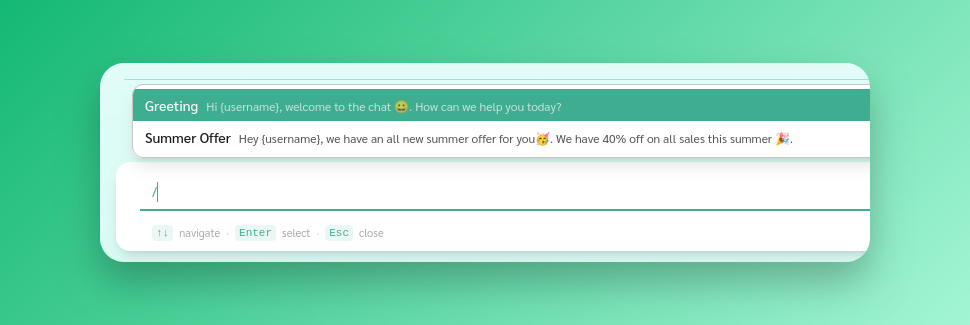
- Open a conversation
- Type
/in the message input - Browse or search for your response by name
- Press Enter or click to insert it
- Edit if needed, then send
Placeholders
Use placeholders to auto-fill contact details:
{name}— display name{email}— email address{username}— username